At some point every WooCommerce store owner does the same thing: opens their analytics, looks at the conversion rate, and tries to figure out if the number is a problem or just normal. The answer, depending on who you ask, is somewhere between "that's fine" and "you're leaving a lot of money behind" - which is not particularly useful.
This goes through what the numbers actually mean, why the benchmarks are harder to interpret than they look, and where the real levers are when you want to move your rate in a meaningful direction.
What the Benchmarks Actually Say
The most widely cited figure for ecommerce conversion rates in 2025 puts the global average between 1.65% and 2.5%, depending on the source and methodology. IRP Commerce lands at around 1.89%. Shopify's internal research puts the typical range at 2.5–3%. For WooCommerce specifically, Metorik's analysis puts the platform average at roughly 2.3%.
So "what's normal" is somewhere in the 1.5–3% range. But those numbers blend together stores that are fundamentally incomparable to each other. The variation by product category is large enough that applying the overall average to your store is essentially meaningless.
| Product Category | Avg. Conv. Rate | Notes |
|---|---|---|
| Food & Beverage | 4.0 – 6.0% | Repeat purchase, low price point |
| Health & Beauty | 3.0 – 4.5% | High intent, familiar products |
| Home & Garden | 1.8 – 3.0% | Varies by AOV |
| Fashion & Apparel | 1.5 – 2.5% | High browse-to-buy ratio |
| Electronics | 1.0 – 2.0% | Long research cycles |
| Furniture | 0.8 – 1.5% | High AOV, considered purchase |
| Luxury / Jewelry | 0.8 – 1.2% | Very high AOV, slow decision cycle |
The pattern is consistent: conversion rate correlates inversely with average order value and purchase complexity. A 1.2% rate at a furniture store isn't broken - it's expected.
The Device Gap That Most Benchmarks Bury in a Footnote
One split the top-line averages consistently obscure: the difference between desktop and mobile conversion. Desktop sessions convert at roughly 3.5–4% on average. Mobile sessions convert at around 1.5–2%. That's not a small gap - but mobile accounts for 60–70% of ecommerce traffic for most stores.
If your analytics show a blended 2% conversion rate and 65% of your sessions are mobile, the calculation that matters is: what's your mobile conversion rate specifically? Most stores find the mobile number is 40–50% lower than desktop - a direct indicator of checkout friction on small screens. Stores that have closed this gap through mobile-optimized checkout layouts and simplified form fields consistently report mobile conversion rates climbing into the 2.5–3% range.
What a 1% Improvement in Conversion Rate Is Actually Worth
Say your WooCommerce store gets 15,000 visitors a month, converts at 2%, and your average order value is $75. That's 300 orders, $22,500 in monthly revenue. If your conversion rate moves to 3%, you're now at 450 orders and $33,750. That's $11,250 in additional monthly revenue from the same traffic, with no change to acquisition costs.
The Baymard Institute specifically estimates that an optimized checkout process could increase conversion for large ecommerce stores by up to 35%. That figure comes from their analysis of the gap between what a typical checkout asks shoppers to do and what they're actually willing to do before abandoning.
Where WooCommerce Specifically Loses People
WooCommerce's default checkout has a well-documented friction problem. Out of the box, it presents customers with a single-page form asking for somewhere between 18 and 20 fields. Baymard's research identifies the sweet spot for checkout form fields as 6 to 8 for a physical product order.
Mandatory Account Creation
Consistently one of the top two reasons for checkout abandonment - cited by roughly 24–26% of shoppers who leave. The fix in WooCommerce is a single settings toggle: WooCommerce → Settings → Accounts & Privacy → Allow customers to place orders without an account. Enabling guest checkout costs nothing and removes a barrier causing one in four potential customers to leave.
The Phone Number Field
Split testing found that adding a phone number field to a checkout form dropped conversion rate by 48% on that page. Even optional phone fields cause measurable drop-off because shoppers have been trained to be wary of sharing numbers unnecessarily. If you're not using phone numbers operationally, removing the field is a low-effort change with disproportionate impact.
Shipping Costs Appearing for the First Time at Checkout
Baymard's abandonment data consistently puts unexpected costs as the single biggest checkout exit trigger - cited by nearly 48% of shoppers who leave. Showing shipping estimates on product pages and cart pages before checkout removes the surprise, which is most of what drives the abandonment.
The Coupon Code Field
A visible coupon field at checkout prompts a percentage of customers to pause, open a new tab, and search for a discount code. Many fall into a search rabbit hole and never come back. If coupons aren't a core part of your marketing strategy, hiding or removing the field prevents this leak.
Page Load Time at Checkout
Studies consistently find that a one-second delay in page load reduces conversions by around 7%. Run your checkout page URL specifically through Google PageSpeed Insights - not just your homepage, as these often differ significantly - and address the top two or three issues it flags.
The Changes That Move the Number Most Reliably
Enable Guest Checkout
The highest-impact, lowest-effort change available in WooCommerce. One settings toggle. Some sources cite conversion improvements of up to 30% from this change alone for stores that previously required account creation.
Trim Checkout Fields to What You Actually Need
Go through your WooCommerce checkout form field by field and ask: do I actually use this information operationally? Company name (if you're B2C), phone number (if you don't call customers), and a separate billing address field when most customers have the same shipping and billing address are the most common removable fields. Plugins like Checkout Field Editor for WooCommerce let you hide, remove, or make fields optional without touching code. Target that 6–8 field range for physical product orders.
Add Digital Wallet Payment Options
WooCommerce stores using Apple Pay and Google Pay through WooPayments report conversion rate improvements up to 35% on mobile transactions. For a customer on mobile who was already on the fence, removing the need to type a 16-digit card number on a phone keyboard is often the difference.
Show Shipping Costs Before Checkout
WooCommerce has a shipping calculator that can be enabled on the cart page. Using it means customers arrive at checkout with an accurate expectation of the total. The conversion lift from eliminating the surprise is real: one case study found a 30% improvement in checkout completion after a retailer moved from revealing shipping at checkout to showing it earlier in the flow.
What About Real-Time Support at Checkout?
Something that doesn't appear in most checkout optimization guides: a visible contact option - specifically a WhatsApp button - on the checkout page reduces a specific type of abandonment that friction-reducing tactics don't address.
There's a category of shopper who reaches checkout, wants to buy, and has one unresolved question. Maybe about a return policy. Maybe about delivery timing for a specific date. In the absence of an immediate answer, they leave - not because checkout is broken, but because the information gap didn't get closed. A WhatsApp button on the checkout page, staffed during business hours, catches a portion of these people before they exit.
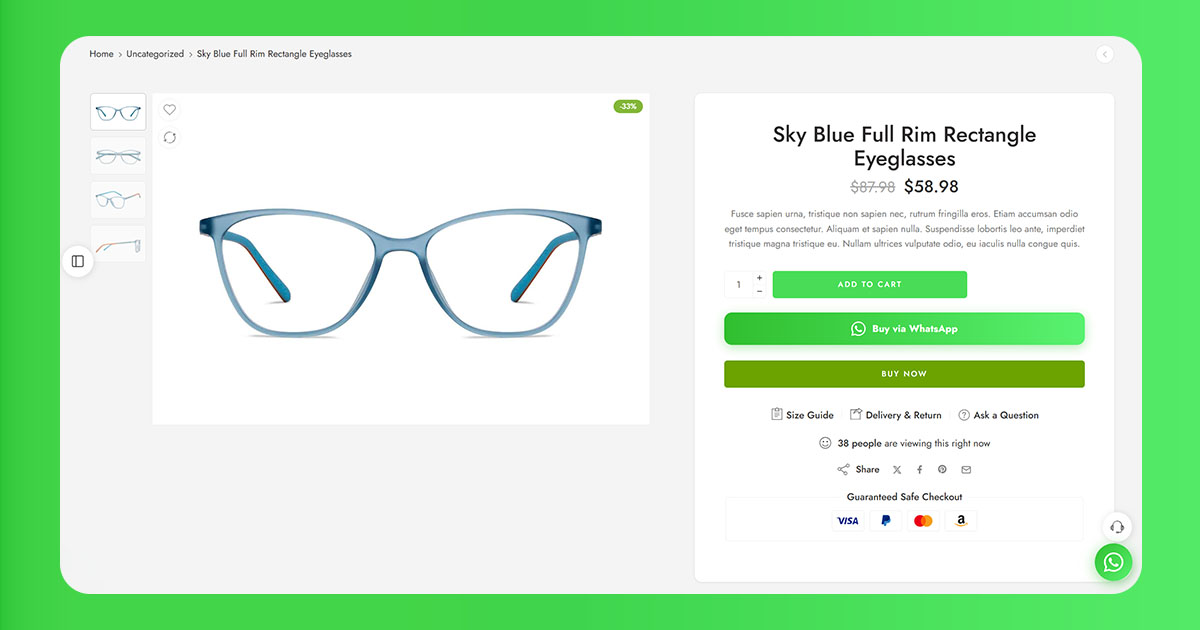
ChatCart Pro places a WhatsApp button at every stage of the WooCommerce flow - product page, cart, mini-cart, and checkout - giving customers an immediate way to resolve questions without abandoning. When they do tap the button at checkout, the plugin creates a real WooCommerce order in the background and opens WhatsApp with the full order pre-filled. The conversation starts from a position of "I'm ready to buy, I just need this one thing confirmed," which is the highest-value conversation type in ecommerce.
Related: Why WooCommerce Customers Abandon Checkout - And How WhatsApp Brings Them Back - our full analysis of abandonment causes and what actually recovers lost carts.
How to Actually Track Where You're Losing People
Google Analytics 4 with WooCommerce tracking shows a purchase funnel - from product view through add-to-cart, checkout initiation, and purchase completion - that reveals where the volume of drop-off is concentrated. If 60% of your checkout drop-off happens at the payment step, that points to trust signals and payment options. If the drop-off is concentrated at the initial checkout page load, form fields and page speed are likely culprits.
MonsterInsights surfaces this funnel data directly inside the WordPress dashboard. Metorik goes deeper - it's built specifically for WooCommerce analytics and gives you abandonment rates and checkout step completion rates in an actionable format. Hotjar or Microsoft Clarity (free) add a qualitative layer: session recordings of actual checkout experiences that surface specific problems no analytics report would show you.
One change at a time is the discipline that makes this work over time. Stores that change multiple things simultaneously and see a 15% improvement know something improved - but they don't know what, which makes the next decision a guess. The stores that compound improvements over 12 months are the ones testing methodically and letting the data decide what to try next.
WhatsApp at checkout is one of the most underrated conversion tools available. ChatCart Pro adds a WhatsApp button to every stage of your WooCommerce flow and creates real orders automatically - turning checkout questions into completed sales.